GovBids IQ: What Bid Intelligence Should Actually Do
Searching for govbids iq? See what the term refers to, what to verify on any vendor's site, and a pass/fail scorecard for testing bid intelligence tools.
Most teams searching for govbids iq have the same problem: too many bid notices, too little time, and no reliable way to tell which ones deserve a proposal. Keyword alerts fill the inbox without saying whether you can win. And the "gov" in the name hides a second issue. Many buyers, school districts among them, publish their solicitations outside federal and state portals entirely.
- Rank before you read. If a tool cannot order opportunities by fit, your team is still doing the sorting by hand.
- Match on meaning, not on exact terms. Buyers describe the same work in different words, so keyword alerts skip relevant bids and surface irrelevant ones.
- Coverage has to follow your buyers. School districts, hospital systems, construction owners, and commercial buyers issue RFPs through channels that government-only tools never touch.
- Who holds the contract today? Answer that before you commit writing time, because incumbent and contract-vehicle context changes a bid decision faster than any deadline reminder.
- Disqualifiers should surface first. Reading a full solicitation to find one clause that rules you out is the most expensive way to say no.
The short answer
GovBids IQ is a bid-intelligence product name that vendors search for when they want software to find open solicitations and help decide which ones to pursue. The name matters less than one test: feed the tool a few bids your team already won, lost, or skipped, and see whether its ranking agrees with what you learned the hard way. A product that passes has earned a place in your process, and one that only lengthens the list of notices has not.
What a search for govbids iq is really asking for
The term govbids iq refers to a bid-intelligence product name, and most people who type it want to know what that product does and whether it fits their business. The reliable answer is on the vendor's own site, and four things are worth verifying there: which sources it covers, how it matches bids to your company (keywords or meaning), whether it scores each opportunity, and what it costs. Those four answers tell you more than any feature list, because they describe the job the tool does for you.
That job is rarely "show me more bids." It is "show me the few bids worth our effort, early enough to respond well."
Consider a food service distributor that sells to K-12 districts, or a medical supply vendor that sells to hospital systems. Neither one lives on federal portals. Their buyers post on district purchasing pages, health system supplier sites, and regional cooperatives. A construction subcontractor has the same experience with owner and general contractor bid boards. Government is one vertical among several, and a tool built around it alone will show these vendors only part of their market.
Why manual searching and keyword alerts stop scaling
For most vendors, the search for bids eats the week before any proposal writing starts. The manual routine is familiar. Someone checks SAM.gov for federal notices, logs in to the state's official eProcurement portal, then works through a list of bookmarked buyer sites. Careful teams also read BoardDocs board agendas to spot school district purchases before they are advertised, and scan a state comptroller's budget pages for funded projects. Each source is public and useful. Together they are a part-time job.
The scale makes the routine impossible to finish. As of November 2026, 53,641 solicitations are open across the 33,000+ sources BidSparq tracks. No team reads that by hand. Keyword alerts seem like the fix, but they trade one problem for another. A buyer who writes "custodial services" will never match an alert set for "janitorial," and an alert set for "security" returns guard contracts to a cybersecurity firm.
The useful question is not how to read all 53,641, but which of them fit your company. See which open solicitations score highest for your company, free for 14 days with no credit card.
How automated matching and scoring change the bid decision
Picture a solicitation titled "grounds maintenance" and a landscaping company whose alerts are all set to "landscaping." The bid is a perfect fit and the alert never fires. Semantic matching closes that gap by comparing what your company does with what a solicitation asks for, even when the two share no keywords. It works the same way for a roofing bid as for a software RFP.
Matching alone still produces a list. Scoring turns the list into a decision. We score every opportunity for fit from 0 to 100, so a team can sort by likely relevance and spend its first hour on the strongest candidates. Manual and keyword tools ask you to read everything and rank it yourself. Automated scoring does the ranking first and lets people check the reasoning.
What to check before a bid reaches your proposal team
Refuse to open a solicitation cold. Before anyone commits writing time, two questions need answers. Can we meet the mandatory requirements? Is this contract realistically open to a new vendor?
The first question is about compliance. Certifications, insurance minimums, bonding, and submission rules are often buried deep in long documents. Automated compliance extraction pulls those requirements out up front, so a disqualifier surfaces in minutes instead of after a full read.
The second question is about competition, and it is not only a government question. A school district may already buy its cafeteria supplies through a cooperative contract. A hospital may be committed to a group purchasing agreement that covers the exact category in the RFP. Incumbent and contract-vehicle intelligence shows who holds the work now and how the buyer has purchased it before. With keyword tools, that research is a separate manual project for every bid.
How to evaluate any bid intelligence tool in two weeks
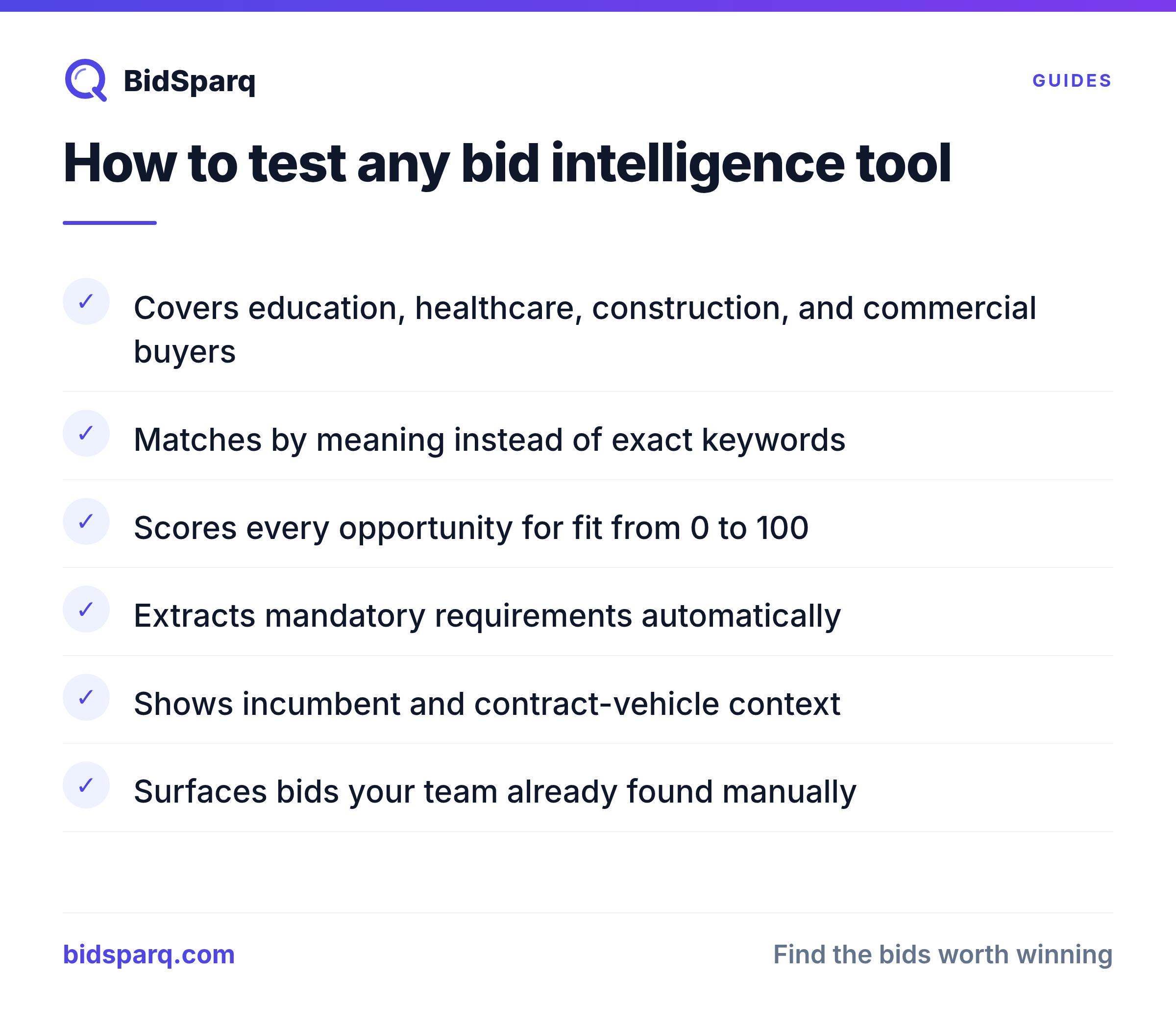
Run the trial against bids you already know. Pick a handful of opportunities your team found manually in the past few months, including at least one you won and one you wisely skipped. Then score the tool against the checklist below. The first four rows are the core tests. The last four are edge cases that separate a serious product from a notice feed.
| Test | How to run it | Pass | Fail |
|---|---|---|---|
| 1. Source coverage | Search for your known bids, including at least two from buyers outside federal and state portals (a district, a hospital system, a private owner). | Every known bid appears, including the non-government ones. | Any known bid is missing, or coverage stops at government portals. |
| 2. Semantic matching | Describe your business in your own words, then look for known bids whose titles use different terms. | Relevant bids surface even when they share no keywords with your profile. | Results appear only when you guess the buyer's exact wording. |
| 3. Fit scoring | Compare the tool's ranking of your known bids with your real outcomes. | The bid you won ranks clearly above the bid you skipped, and the score comes with visible reasoning. | No score, or scores that do not separate good fits from poor ones. |
| 4. Requirement extraction | Open one long solicitation you have already read in full. | Mandatory certifications, insurance, bonding, and submission rules are listed without opening the PDF. | You still have to read the whole document to find a disqualifier. |
| 5. Amendments and addenda | Pick a known bid whose deadline or scope changed after posting. | The change is shown on the opportunity and you are notified. | The record still shows the original date or scope. |
| 6. Pre-solicitation and board-agenda signals | Check whether a purchase you know was discussed at a board meeting or announced in advance appears before the formal RFP. | You see early signals with enough lead time to prepare. | Opportunities appear only once the response clock is already running. |
| 7. Cooperative and GPO contract vehicles | Look up a buyer you know purchases through a cooperative or group purchasing agreement. | The tool shows the vehicle and the current contract holder. | The bid looks open when the spend is already committed elsewhere. |
| 8. Set-aside and certification filters | Filter by a certification or set-aside status your company holds, or one you lack. | You can include or exclude bids by eligibility in one step. | Ineligible bids stay mixed into your results. |
A tool that passes the first four rows will save your team real hours. Each edge case it also passes removes a way to lose a bid you should have won, or to chase one you never could have. Any failure marks work that stays on your desk.
This scorecard works on any product, including ours. The trial is free for 14 days and requires no credit card, and plan pricing is in the FAQ below. Start your free trial and run the scorecard on your own bids.
The best bid tool is the one that lets you say no faster.
FAQ
What is govbids iq?
GovBids IQ is a bid-intelligence product name that vendors search for when they want software to find open solicitations and decide which to pursue. Before you commit to any product under that name, verify four things on the vendor's own site: source coverage, matching method, scoring, and pricing. Then run the scorecard above during a trial to confirm the claims against bids you already know.
Is bid intelligence software only useful for government contractors?
No. Education, healthcare, construction, IT, and commercial buyers all issue RFPs, often through channels separate from federal and state portals. A vendor that sells to school districts or hospital systems needs coverage of those sources as much as government listings.
How much does bid intelligence software cost?
Pricing varies widely by vendor and coverage, so compare what each plan includes. BidSparq Pro Max is $249 per month, or $199 per month billed annually, with a 14-day free trial and no credit card required. It covers 33,000+ bid sources with semantic matching, 0 to 100 fit scoring, compliance extraction, and incumbent and contract-vehicle intelligence.
Find RFPs that match your business
BidSparq monitors 33,000+ procurement sources and uses AI to score every opportunity against your capabilities. Try it free for 14 days.
Start Free Trial →